
SOME/IP 远程示例(vsomeip notify-sample)
此文件夹中的 remote 端基于官方的 vsomeip 示例应用:notify-sample。您可以将其视为远程 SOME/IP 服务,而 ecubus-pro 则作为发现该服务并接收通知的客户端。
1. 先决条件
vsomeip已安装且正常工作(包括示例二进制文件)notify-sample可在远程主机上执行- 远程主机与本地主机之间具备网络连接
- 此文件夹中的
someip_remote.json已准备就绪(根据需要调整路径)
2. 网络准备(Linux)
如果您的环境中默认未启用多播路由,请运行:
bash
sudo ip route add multicast 224.0.0.0/4 dev eth0将 eth0 替换为您实际的网络接口(例如 enp3s0、ens33 等)。
3. 设置 vsomeip 环境变量
在您将启动 notify-sample 的同一终端中设置这些变量:
bash
export VSOMEIP_CONFIGURATION=/path/to/someip_remote.json
export VSOMEIP_APPLICATION_NAME=hello_world_service
注意:
VSOMEIP_CONFIGURATION:远程端 vsomeip 配置文件的路径VSOMEIP_APPLICATION_NAME:必须与配置文件中定义的应用程序名称匹配
4. 启动远程端(notify-sample)
bash
notify-sample如果启动成功,您应该会看到与服务注册、服务发现和事件通知相关的日志。
5. 与 EcuBus-Pro 配合使用
- 在 EcuBus-Pro 中打开
someip_remote示例(或导入等效配置) - 确保本地/远程 IP、端口、服务 ID、实例 ID 和事件组值匹配
- 在
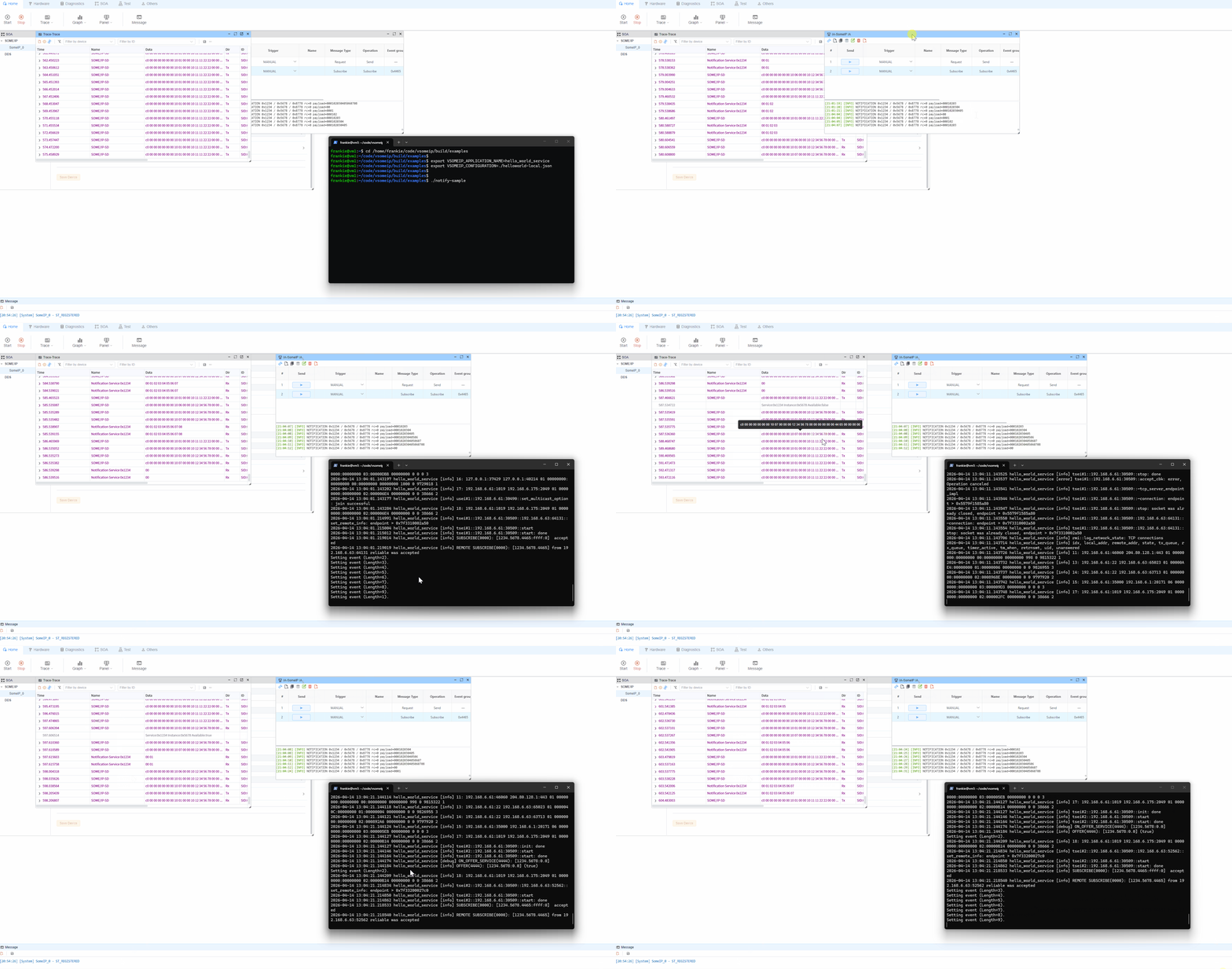
SomeIP IA中,首先运行subscribe操作(someipOp=subscribe,methodId=0x8778) - 订阅成功后,运行或观察通知流(第二个 SOME/IP IA 操作),并验证来自
notify-sample的通知
重要提示:
- 此项目包含 两个 SOME/IP IA 操作。
- 您必须首先执行 subscribe 操作;否则,将无法收到通知消息。
6. 故障排除
- 服务未被发现:
- 验证网络连接(
ping) - 检查 SOME/IP UDP 多播/单播流量的防火墙规则
- 确认
someip_remote.json与 EcuBus-Pro 设置匹配
- 验证网络连接(
- 服务已发现但无事件:
- 在检查通知之前,验证
subscribe操作是否已成功执行 - 验证
notify-sample是否仍在运行并发布通知
- 在检查通知之前,验证
- 多网卡环境问题:
- 在配置中绑定正确的网卡/IP
- 临时仅启用目标网卡以消除路由歧义
7. 最小启动命令
bash
sudo ip route add multicast 224.0.0.0/4 dev eth0
export VSOMEIP_CONFIGURATION=/path/to/someip_remote.json
export VSOMEIP_APPLICATION_NAME=hello_world_service
notify-sample