
SOME/IP Remote Example (vsomeip notify-sample)
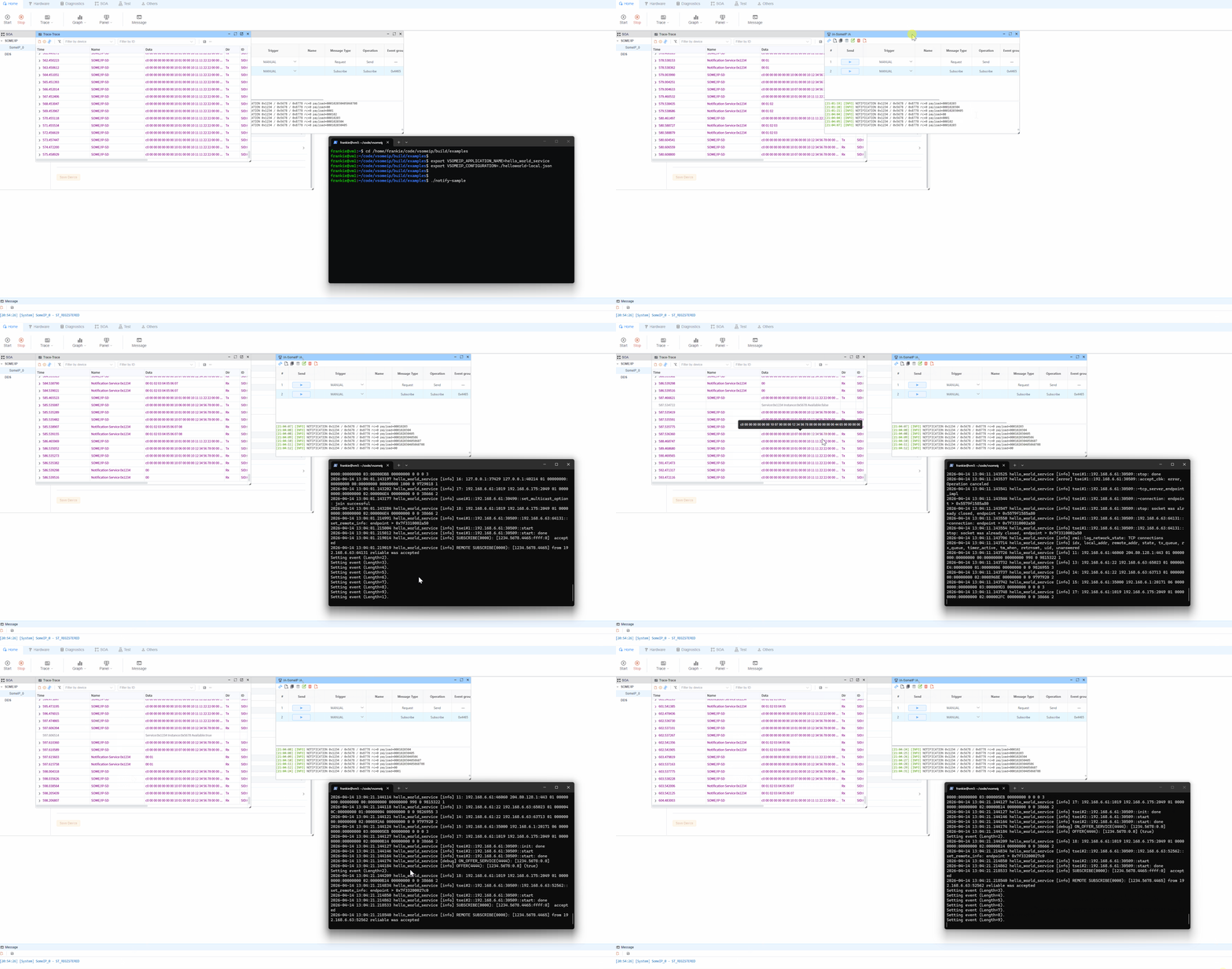
The remote side in this folder is based on the official vsomeip example app: notify-sample. You can treat it as the remote SOME/IP service, while ecubus-pro acts as the client that discovers the service and receives notifications.
1. Prerequisites
vsomeipis installed and working (including sample binaries)notify-samplecan be executed on the remote host- Network connectivity is available between remote and local host
someip_remote.jsonin this folder is prepared (adjust path as needed)
2. Network Preparation (Linux)
If multicast routing is not available by default in your environment, run:
bash
sudo ip route add multicast 224.0.0.0/4 dev eth0Replace eth0 with your actual network interface (for example enp3s0, ens33, etc.).
3. Set vsomeip Environment Variables
Set these variables in the same terminal where you will start notify-sample:
bash
export VSOMEIP_CONFIGURATION=/path/to/someip_remote.json
export VSOMEIP_APPLICATION_NAME=hello_world_service
Notes:
VSOMEIP_CONFIGURATION: path to the remote-side vsomeip config fileVSOMEIP_APPLICATION_NAME: must match the application name defined in the config
4. Start Remote (notify-sample)
bash
notify-sampleIf startup succeeds, you should see logs related to service registration, service discovery, and event notifications.
5. Use with EcuBus-Pro
- Open the
someip_remoteexample in EcuBus-Pro (or import equivalent configuration) - Ensure local/remote IP, port, Service ID, Instance ID, and Event Group values match
- In
SomeIP IA, run thesubscribeaction first (someipOp=subscribe,methodId=0x8778) - After subscription succeeds, run or observe the notify flow (the second SOME/IP IA action) and verify notifications from
notify-sample
Important:
- This project contains two SOME/IP IA actions.
- You must execute the subscribe action first; otherwise, notify messages will not be received.
6. Troubleshooting
- Service is not discovered:
- Verify network connectivity (
ping) - Check firewall rules for SOME/IP UDP multicast/unicast traffic
- Confirm
someip_remote.jsonmatches EcuBus-Pro settings
- Verify network connectivity (
- Service is discovered but no events:
- Verify the
subscribeaction was executed successfully before checking notifications - Verify
notify-sampleis still running and publishing notifications
- Verify the
- Multi-NIC environment issues:
- Bind the correct NIC/IP in configuration
- Temporarily keep only the target NIC enabled to remove route ambiguity
7. Minimal Startup Commands
bash
sudo ip route add multicast 224.0.0.0/4 dev eth0
export VSOMEIP_CONFIGURATION=/path/to/someip_remote.json
export VSOMEIP_APPLICATION_NAME=hello_world_service
notify-sample