
CANopen PDO Example
Overview
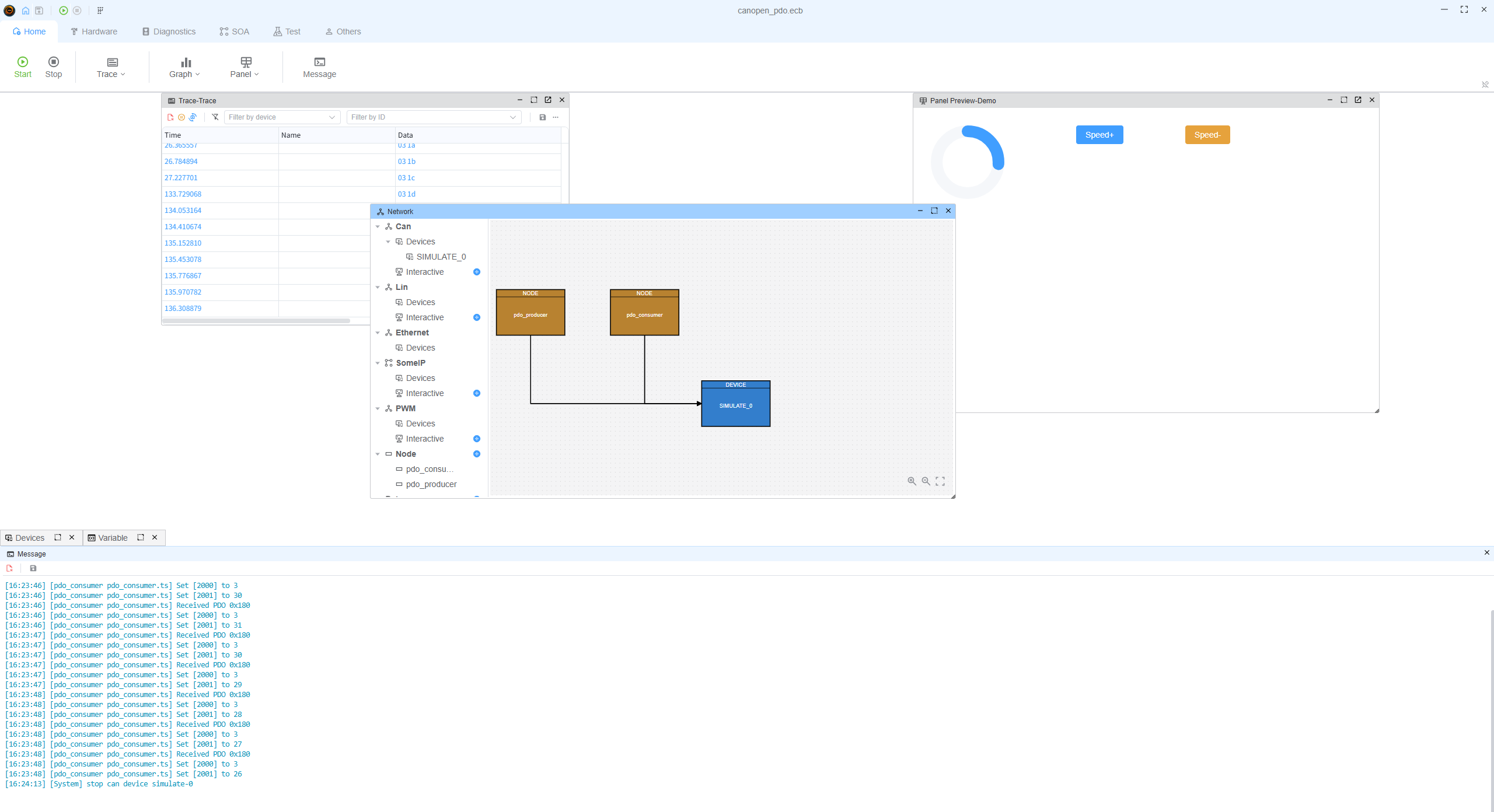
This example shows Process Data Objects (PDOs) on a single CAN channel: one script transmits a TPDO when an object dictionary value changes, and the other receives that frame as an RPDO and prints the decoded mapping.
PDO traffic is low-overhead compared to SDO—suited for periodic or event-driven process data. Here both nodes attach to the same simulated CAN device (SIMULATE_0, 500 kbit/s) defined in canopen_pdo.ecb.
Project layout
| File | Role |
|---|---|
canopen_pdo.ecb | ECUBUS project with two script nodes on one CAN device |
pdo_producer.ts | CANopen device (node ID 0xB) with a TPDO on COB-ID 0x180, mapping 0x2000 (counter) + 0x2001 (motor speed, 0-100) |
pdo_consumer.ts | Same node ID in a separate script instance with an RPDO on 0x180, mapping into 0x2000 + 0x2001 |
Each script wires the stack to the bus with Util.OnCan → device.receive(...) and forwards stack TX with device.addListener('message', ...) → output(...).
Producer (pdo_producer.ts)
- Adds object
0x2000(8-bit unsigned test value) and0x2001(motor speed,0-100). - Declares a transmit PDO with
transmissionType: 254(send when mapped value changes), COB-ID0x180, payload from0x2000+0x2001. - Calls
device.start()anddevice.nmt.startNode()so the device is operational. - Every 100 ms increments
0x2000three times (1 -> 2 -> 3), which triggers TPDO sends. - Speed (
0x2001) is controlled by panel variables:MotorSpeedPlus: increment speed by 1 (clamped to100)MotorSpeedMinus: decrement speed by 1 (clamped to0) Each change updates0x2001and triggers TPDO send-on-change.
Consumer (pdo_consumer.ts)
- Adds
0x2000and0x2001and a receive PDO on COB-ID0x180mapped to both objects. - After
start()/startNode(), listens withdevice.pdo.on('pdo', ...)and logs COB-ID and each mapped object’s value. - When object
0x2001is received, it writes the value to global variableMotorSpeedviasetVar("MotorSpeed", value).
How to run
- Open
canopen_pdo.ecbin ECUBUS Pro. - Ensure both scripts (
pdo_producer,pdo_consumer) use the same CAN channel (as in the bundled project). - Run the project; watch the consumer output for
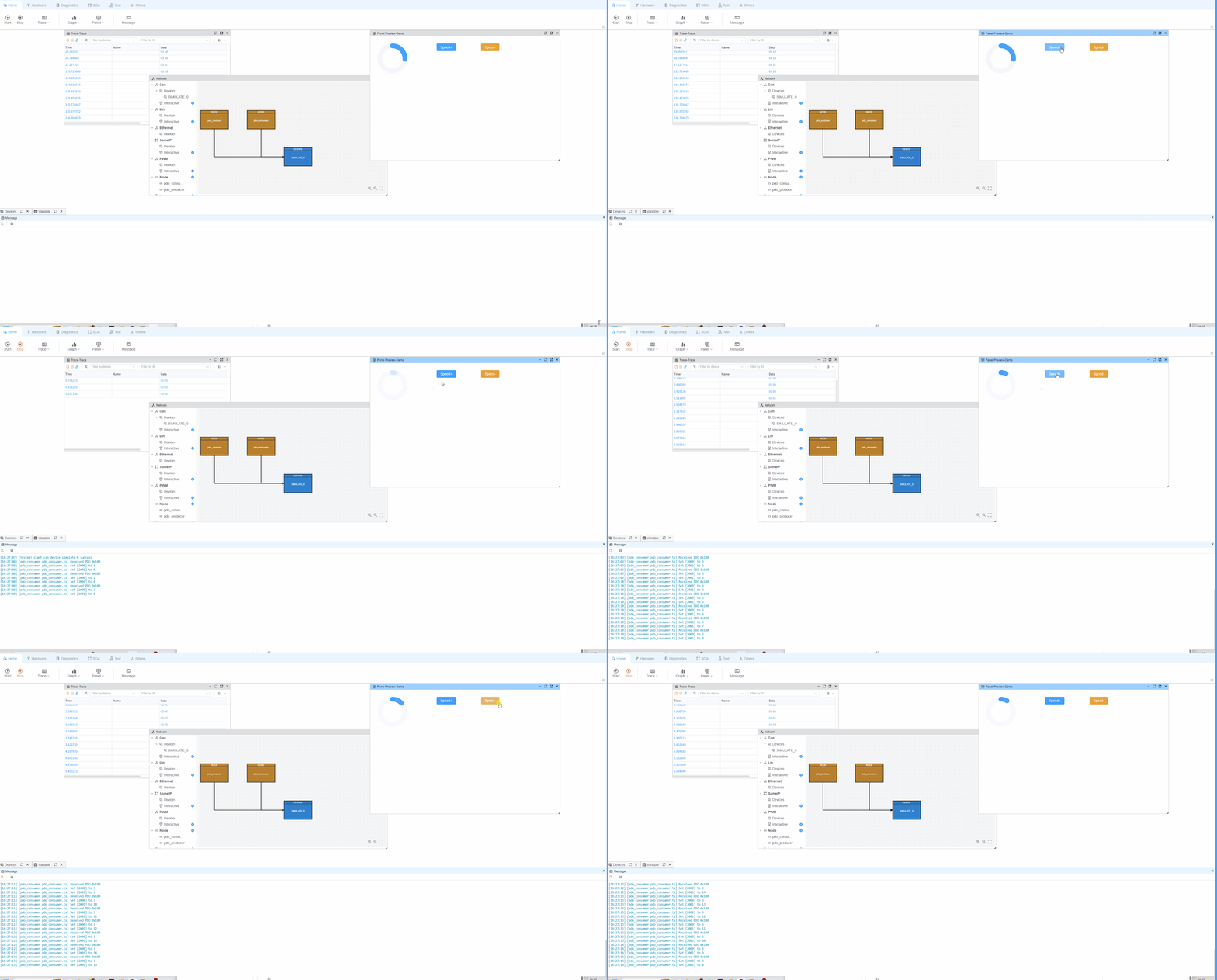
Received PDOlines with two mapped values (counter and speed). - Toggle
MotorSpeedPlus/MotorSpeedMinusin the panel to change speed and observe synchronized PDO updates on the consumer side.
Further examples
The underlying stack follows common CANopen PDO patterns. For more standalone scenarios (NMT, SDO, SYNC, TIME, LSS, EMCY, etc.), see the node-canopen examples: